Exporting a Bank Account Transactions into CSV file through CommBank Mobile App

Hands holding a phone showing a banking app while holding a bank card, with a laptop behind

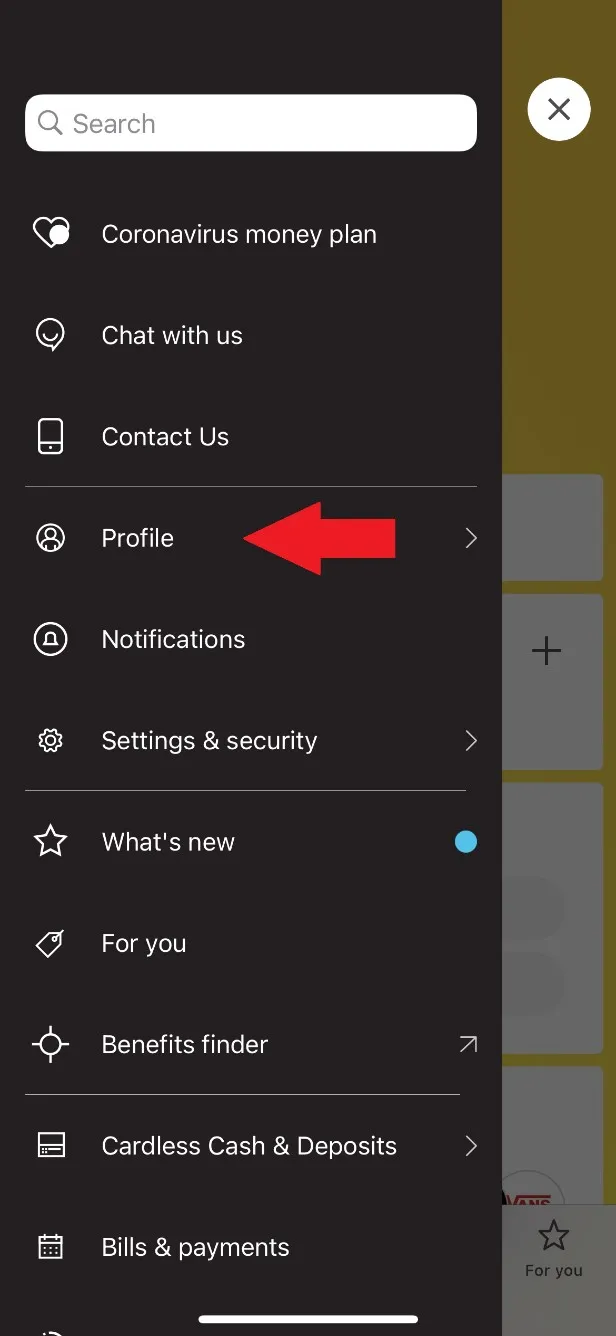
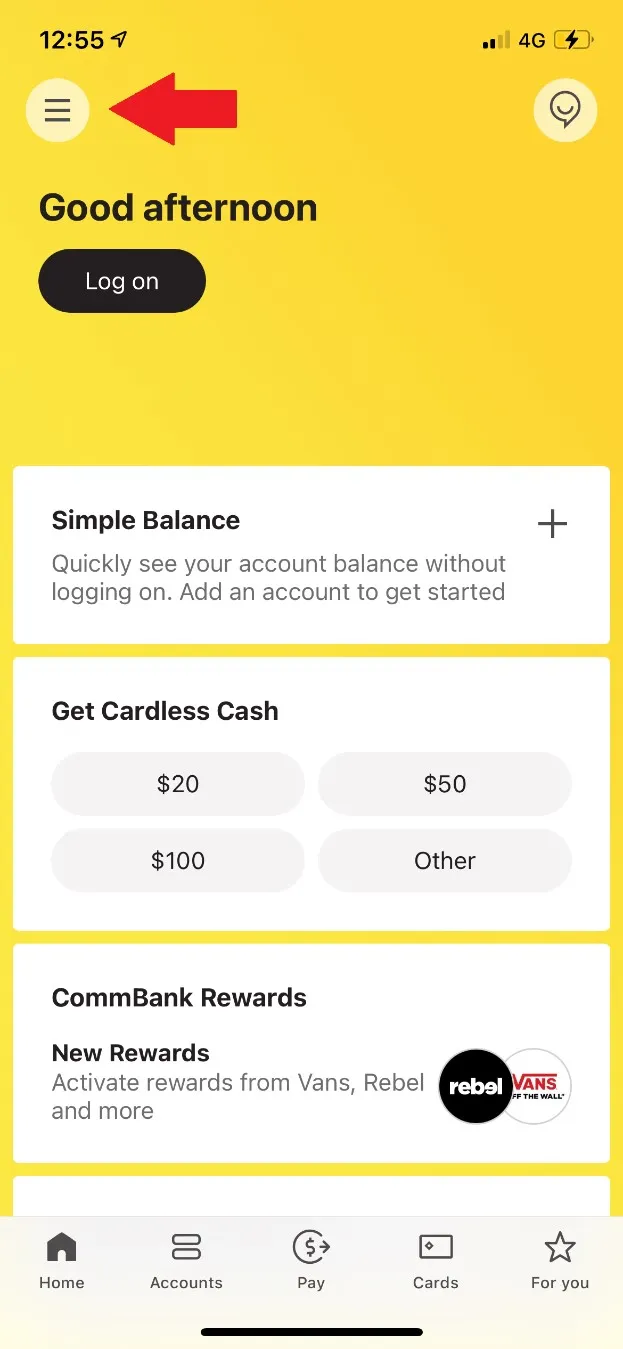
STEP 1. Click on the icon pointed out below.

Commbank1

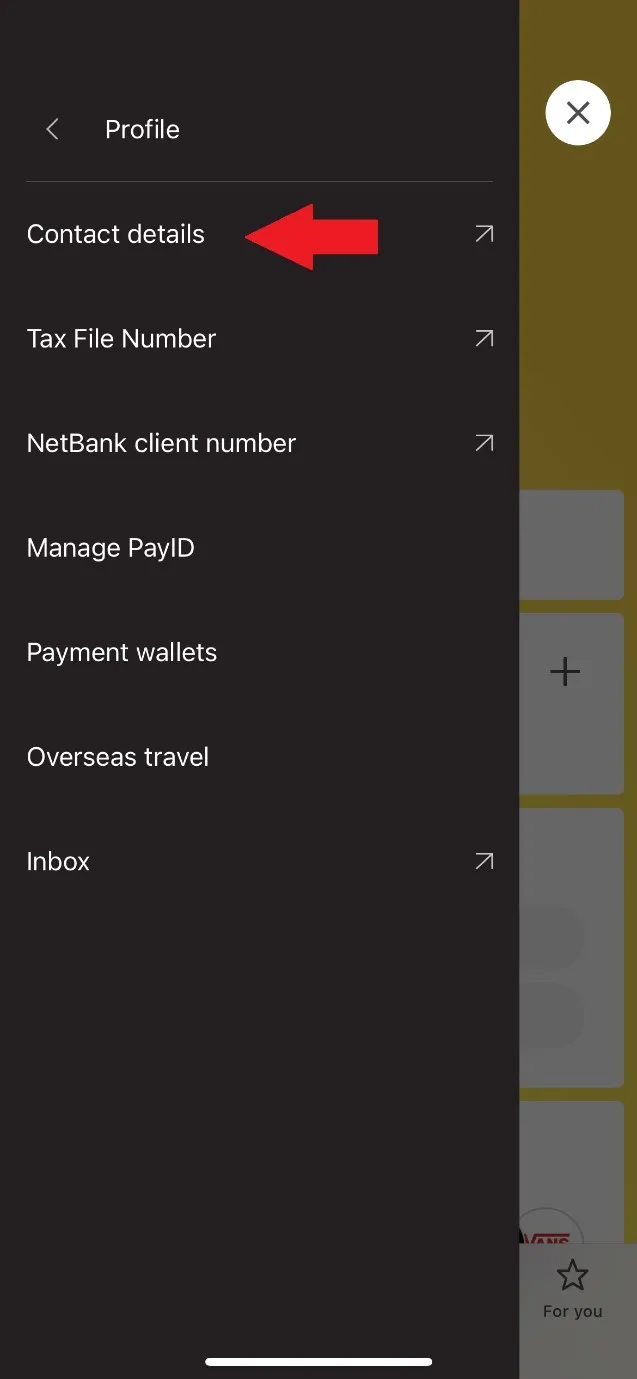
STEP 2. Select ‘’Profile’’

Commbank2

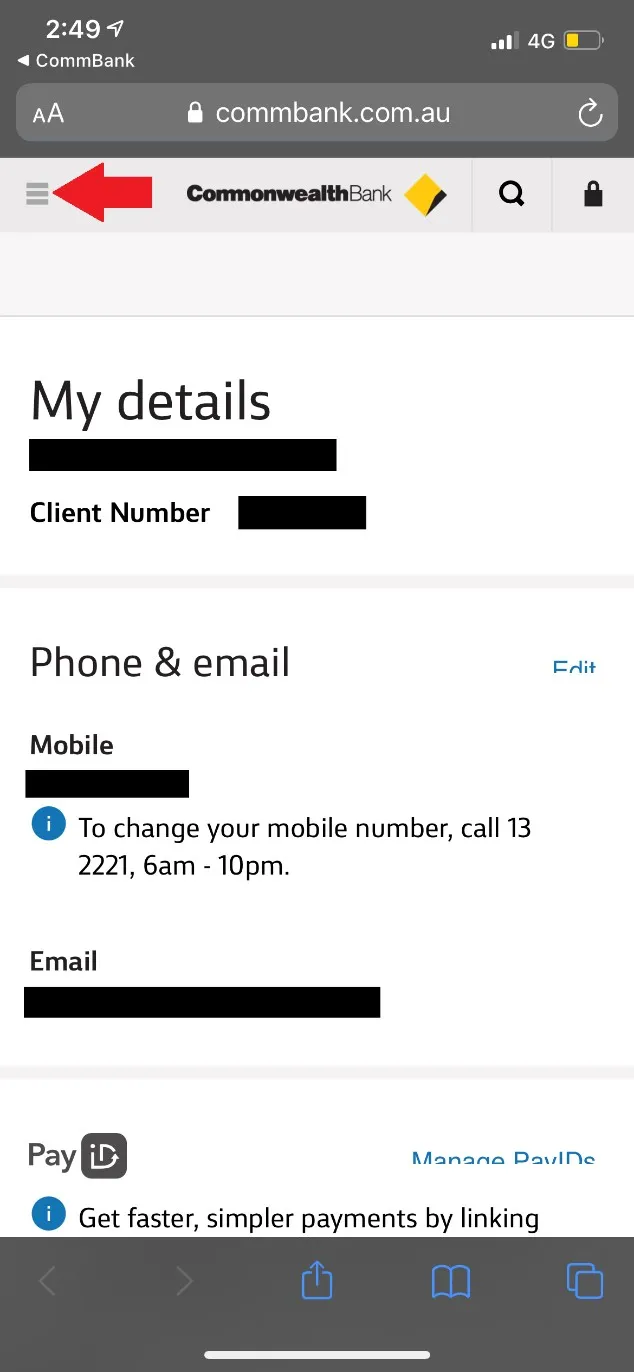
STEP 3. Select ‘’Contact Details’’. Subsequently, insert your app’s password and you shall be directed to Commonwealth Bank Website on Safari/Google Chrome/Firefox.

Commbank3

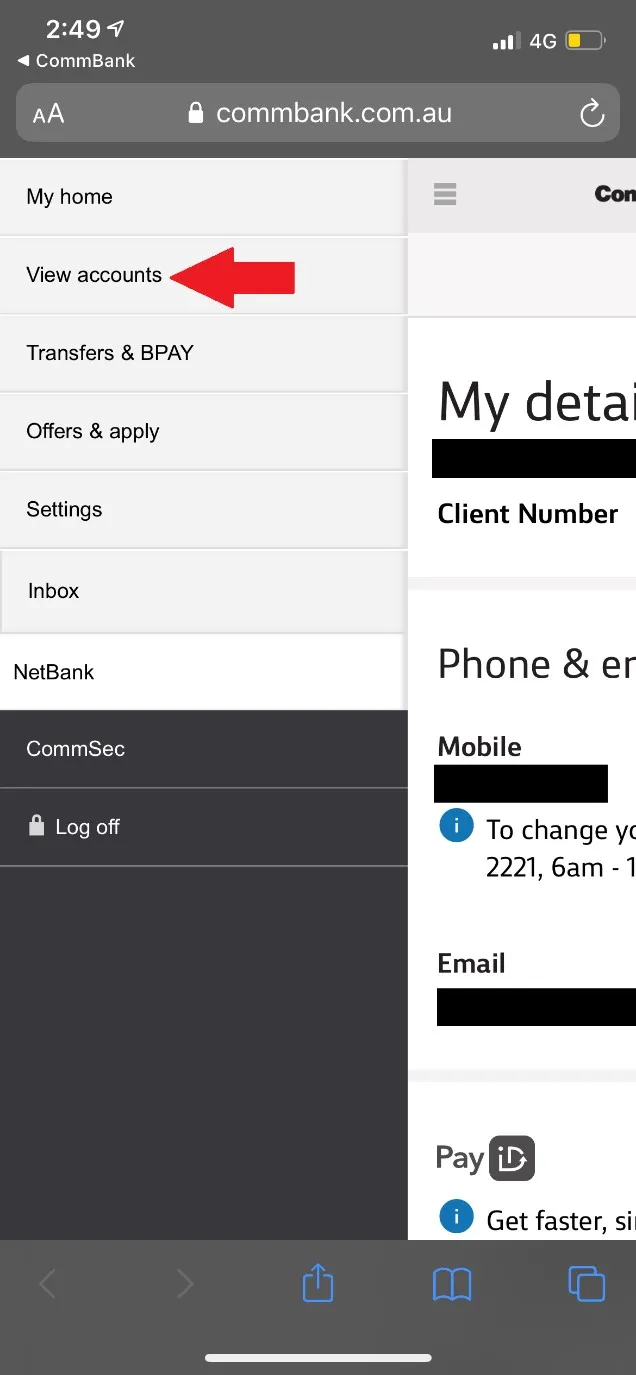
STEP 4. Click on the icon pointed below.

Commbank4

STEP 5. Select ‘’View Accounts’’.

Commbank5

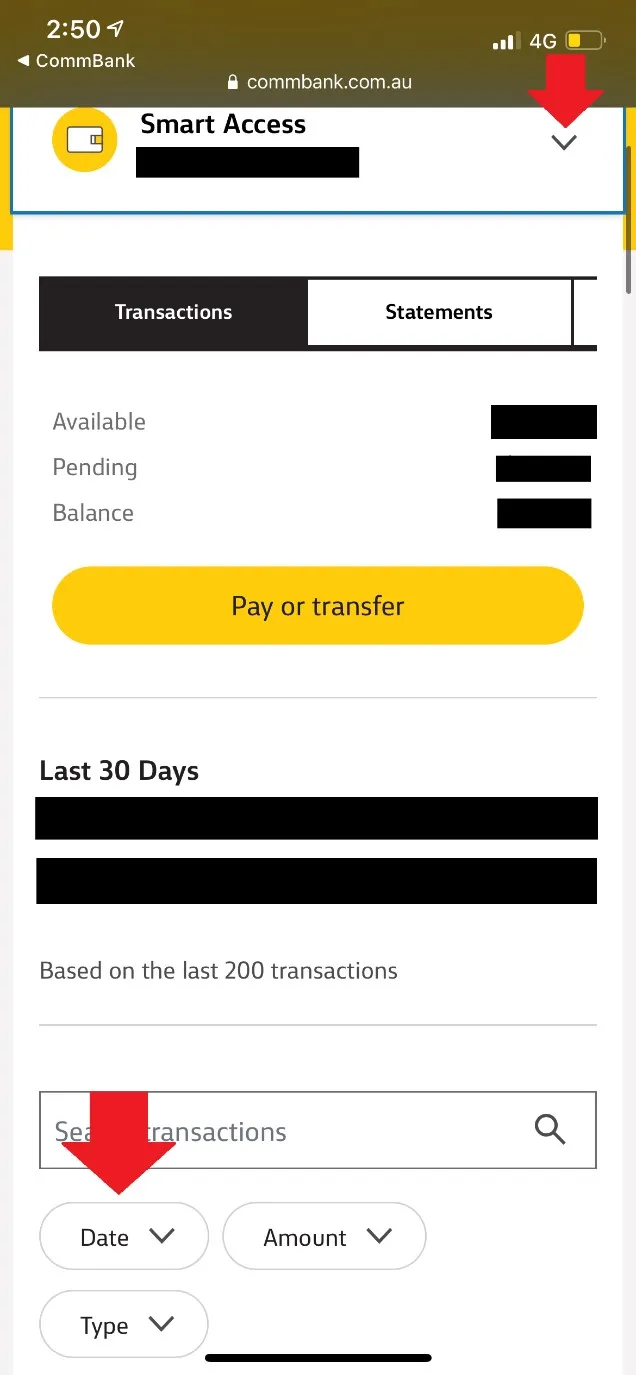
STEP 6. Click on the drop-down list pointed out below and select the account, which income was received. This will generally be your ‘’Smart Access’’ account, however, it depends on the account number you have provided to payer. Subsequently, click on ‘’Date’’.

Commbank6

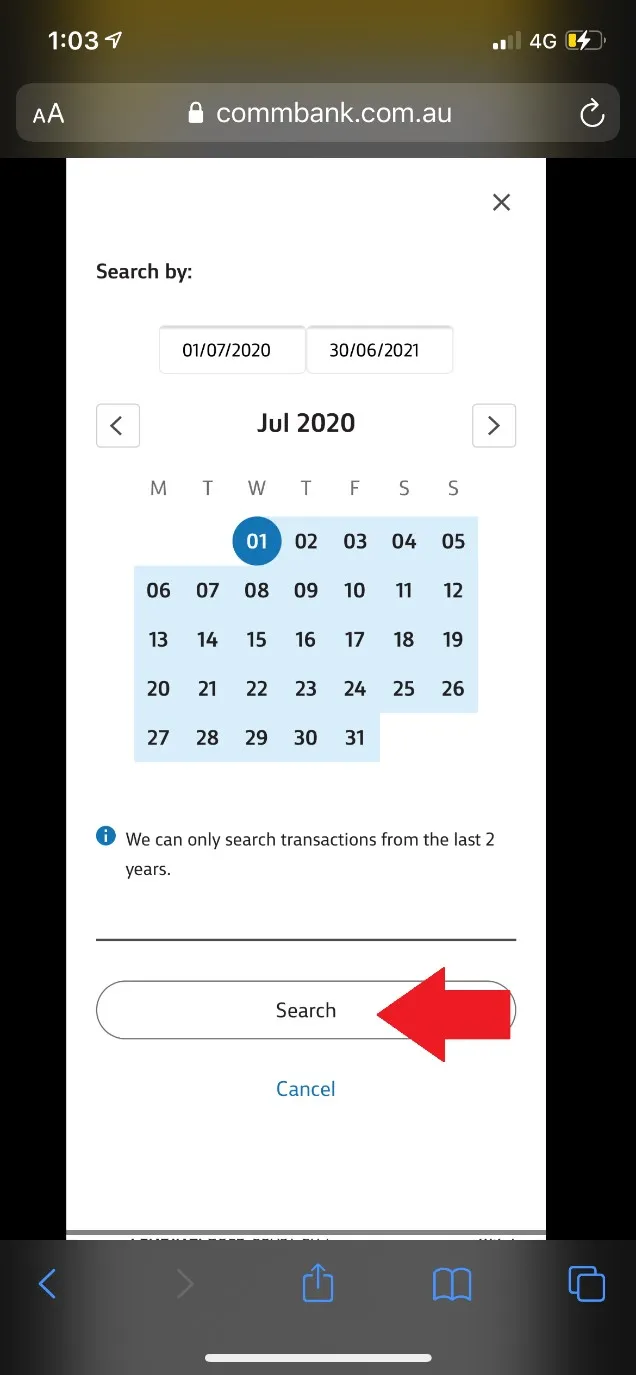
STEP 7. Please select the appropriate dates. E.g. 2021 FY = 01/07/2020 to 30/06/2021. Please note you are only able to retrieve the statement on CSV format up to 2 years ago. Therefore, if you attempt to download on e.g. 30/06/2021, you will be able to extract only from 30/06/2019 – 30/06/2021.

Commbank7

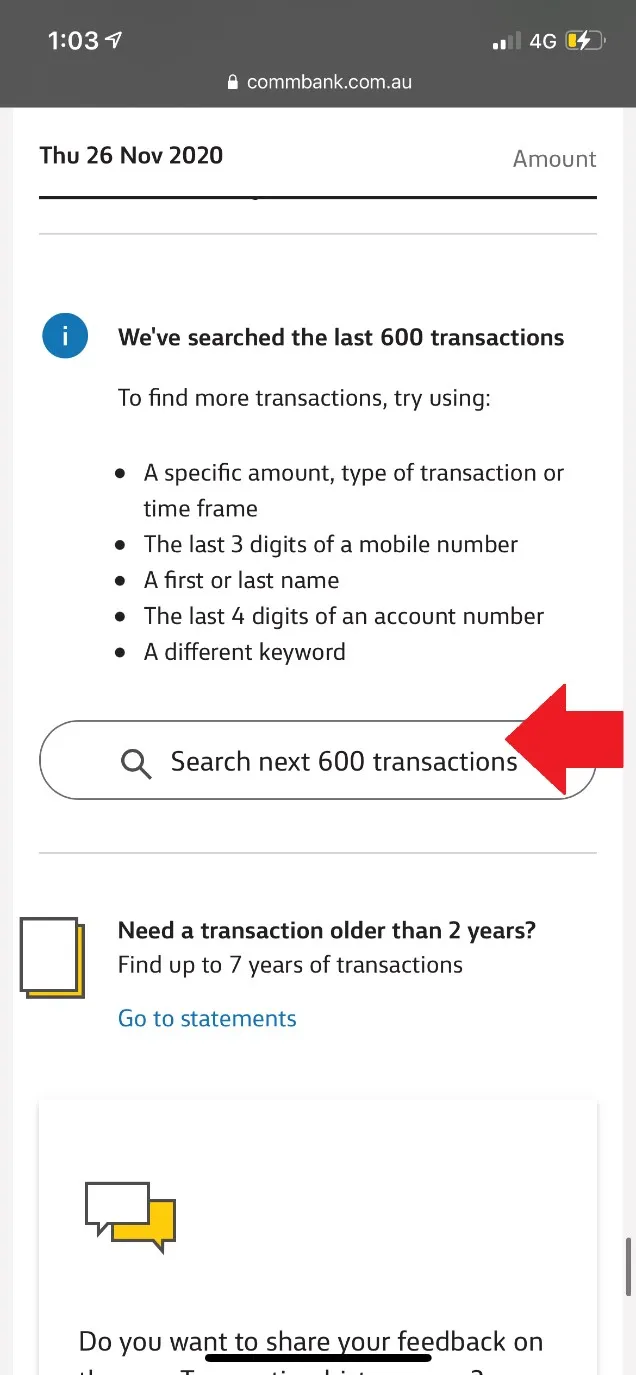
STEP 8. Transactions for the period selected shall be loaded. Please make sure you scroll down the page and certify that all transactions for the period appear. In case they do not, click on ‘’Search next 600 transactions’’ and repeat this until the whole period is included.

Commbank8

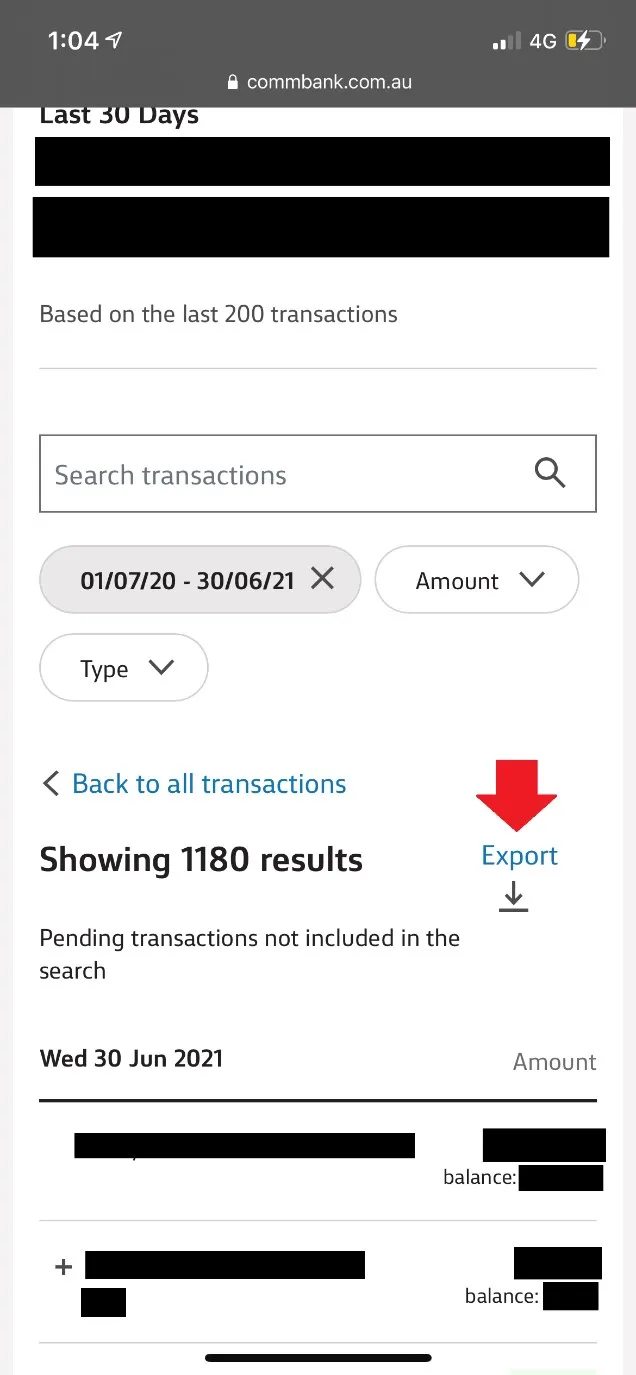
STEP 9. Once you have certified all transactions are loaded, scroll up and select ‘’Export’’.

Commbank9

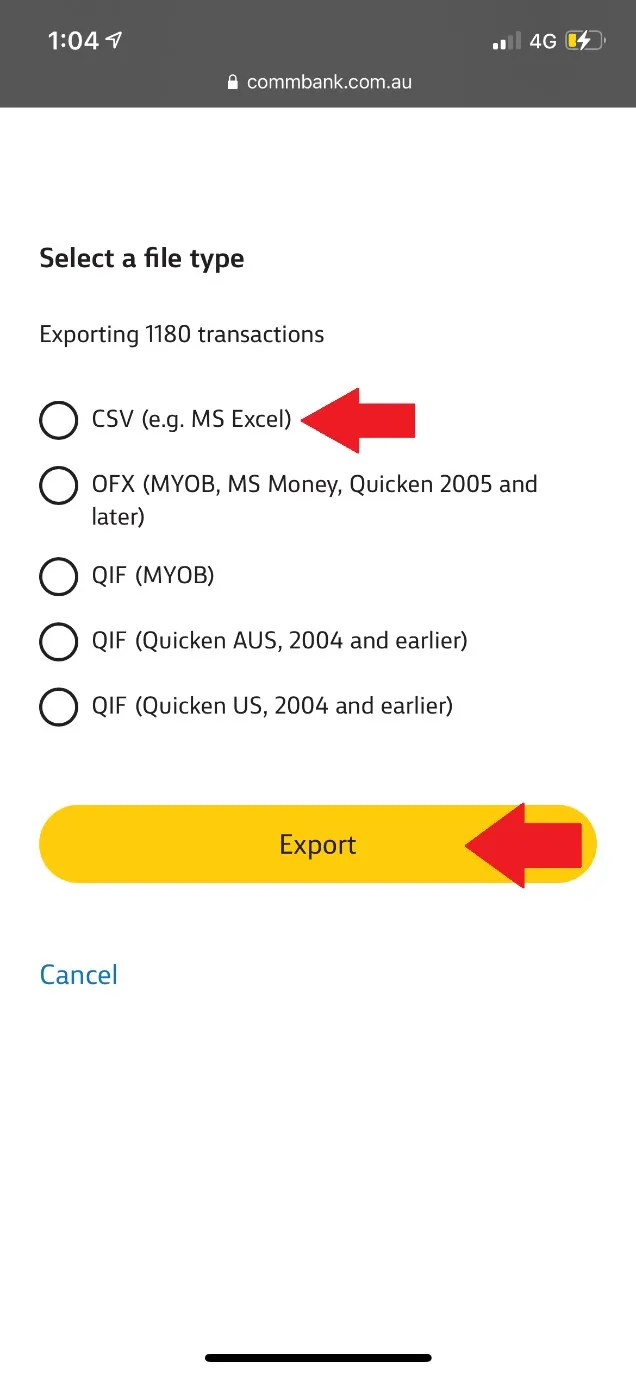
STEP 10. Please select the option ‘’CSV (E.g. MS Excel)’’ and click ‘’Export’’. Now you shall be able to download the document and forward it to [email protected].

If you’d rather we handled this for you, see our bookkeeping and payroll service.
Commbank10

Other Related News

Proposed Family Trust Tax Changes: What Could They Mean for You?
The Federal Government has released draft legislation proposing a 30% minimum tax on discretionary trusts from 1 July 2028. The changes are…
Read Article
Ecommerce Business Tax Deductions: What Australian Online Sellers Can Claim
Most ecommerce business tax deductions come from the everyday costs of running your online store. They are claimable provided they relate to…
Read Article
How to Export a History of your Business Bank Account Transactions into CSV file
Banking tips! Exporting transactions from your business bank account will save your time and will allow us to prepare your financials more…
Read Article
Our Disclosure Statement
As a registered tax practitioners, All Square Accountants is required under the Tax Agent Services Act 2009 (TASA) and the Tax Practitioners…
Read Article
Our Office Location & Parking
Our Office Address is: Suite 30420 Level 4, Building G 27 Garden Street ‘Southport Central’ Southport, QLD 4215 Southport Central is made…
Read Article
Payroll & National Employment Standards
Introduction to the National Employment Standards: The Fair Work Commission is Australia’s national workplace relations tribunal. The National Employment Standards (NES) are…
Read Article
How’s the forecast looking for your business?
Whenever we’re going on holiday or have plans for the weekend, we always check the weather forecast so we can plan accordingly.…
Read Article
Client-agent linking steps
If you’re bringing on a new accountant, or changing what your current one is allowed to do for you, the ATO now…
Read Article
Driving your business with reporting
Do you wait for your Annual Accounts to arrive before you look at your numbers for the year? By the time your…
Read Article
AuditShield Insurance
ATO’s data matching capabilities are becoming more and more sophisticated, which makes it simpler for tax payers to encounter audit activity, despite…
Read Article
Let’s Get Your Business All Square

Take the next step with clear, reliable accounting and advisory support designed to keep your finances organised and moving forward

How can we assist?

See our services

How we can assist

Speak to a specialist

Reach out to our team online now

Common questions

WhatsApp Us