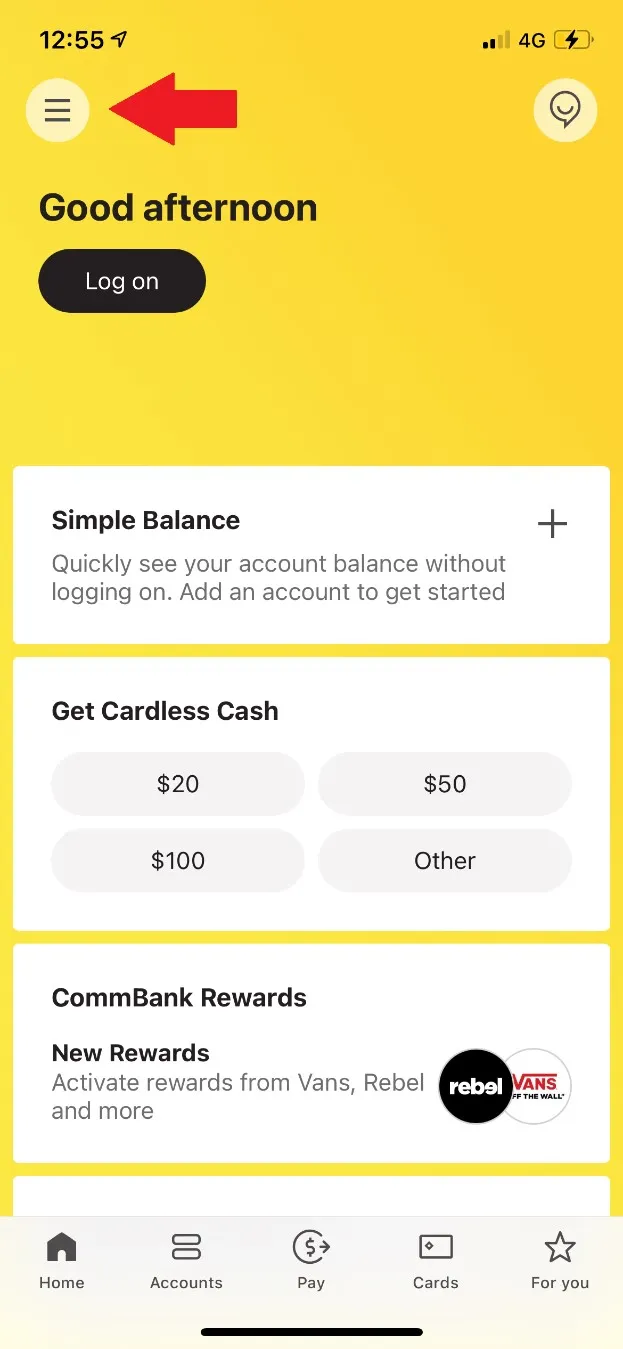
STEP 1. Click on the icon pointed out below.
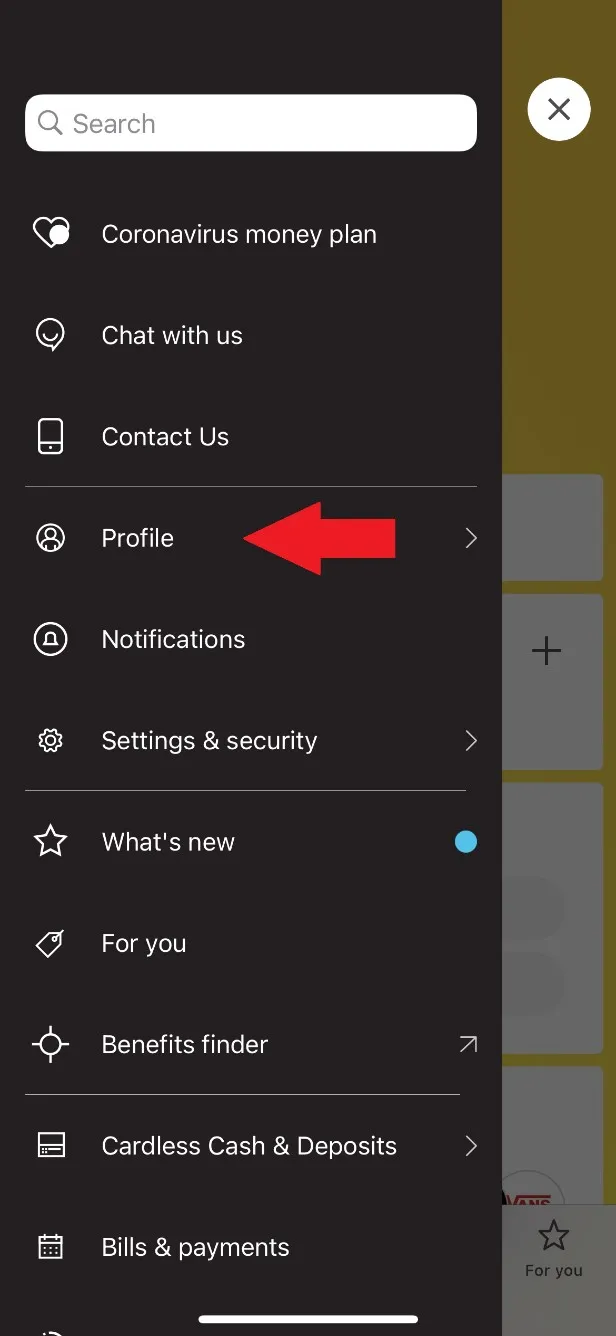
STEP 2. Select ‘’Profile’’
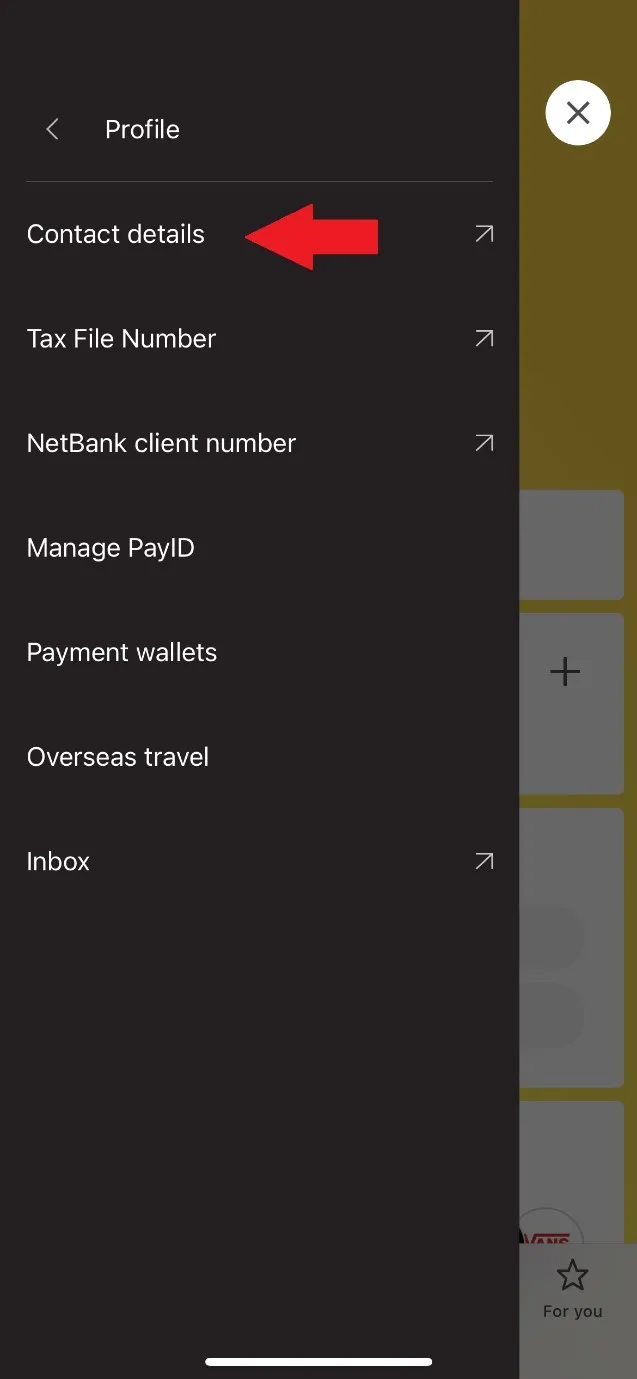
STEP 3. Select ‘’Contact Details’’. Subsequently, insert your app’s password and you shall be directed to Commonwealth Bank Website on Safari/Google Chrome/Firefox.
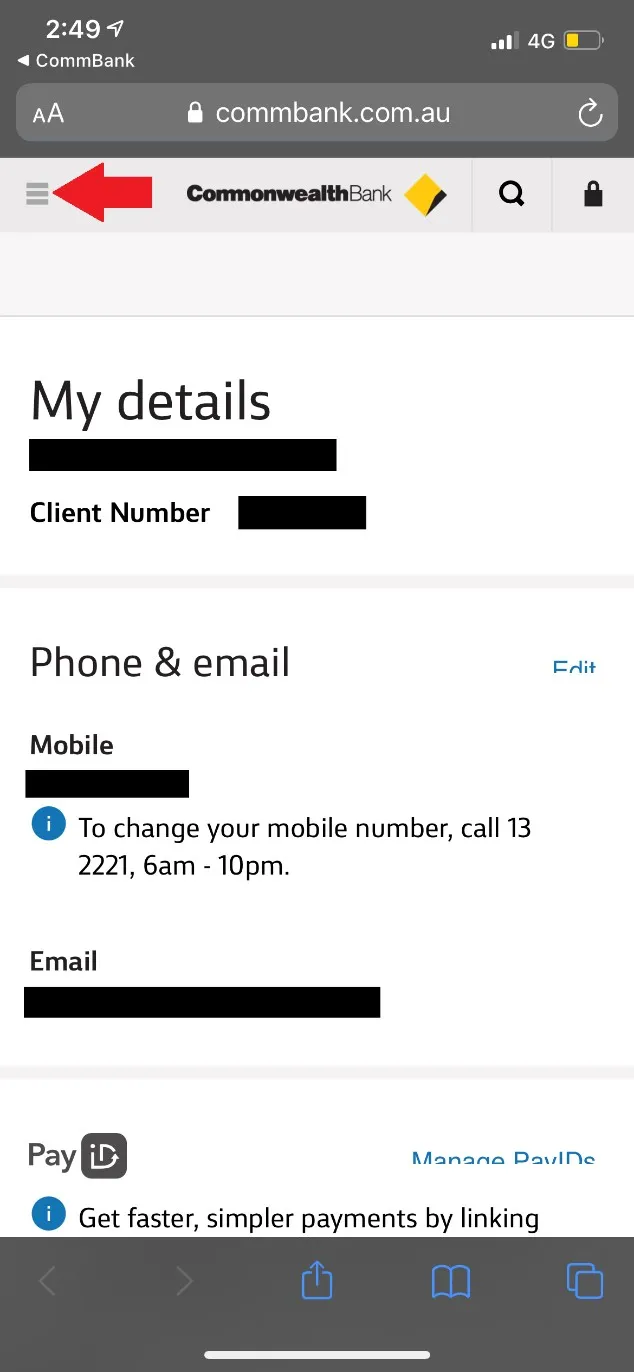
STEP 4. Click on the icon pointed below.
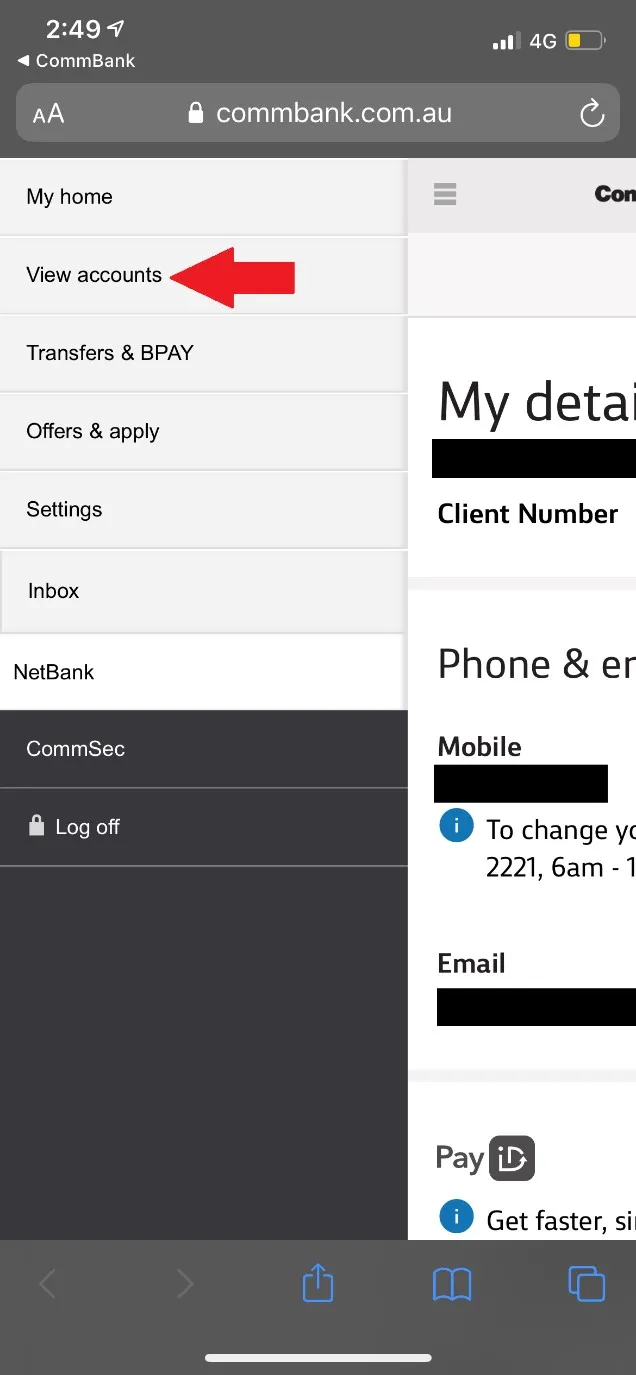
STEP 5. Select ‘’View Accounts’’.
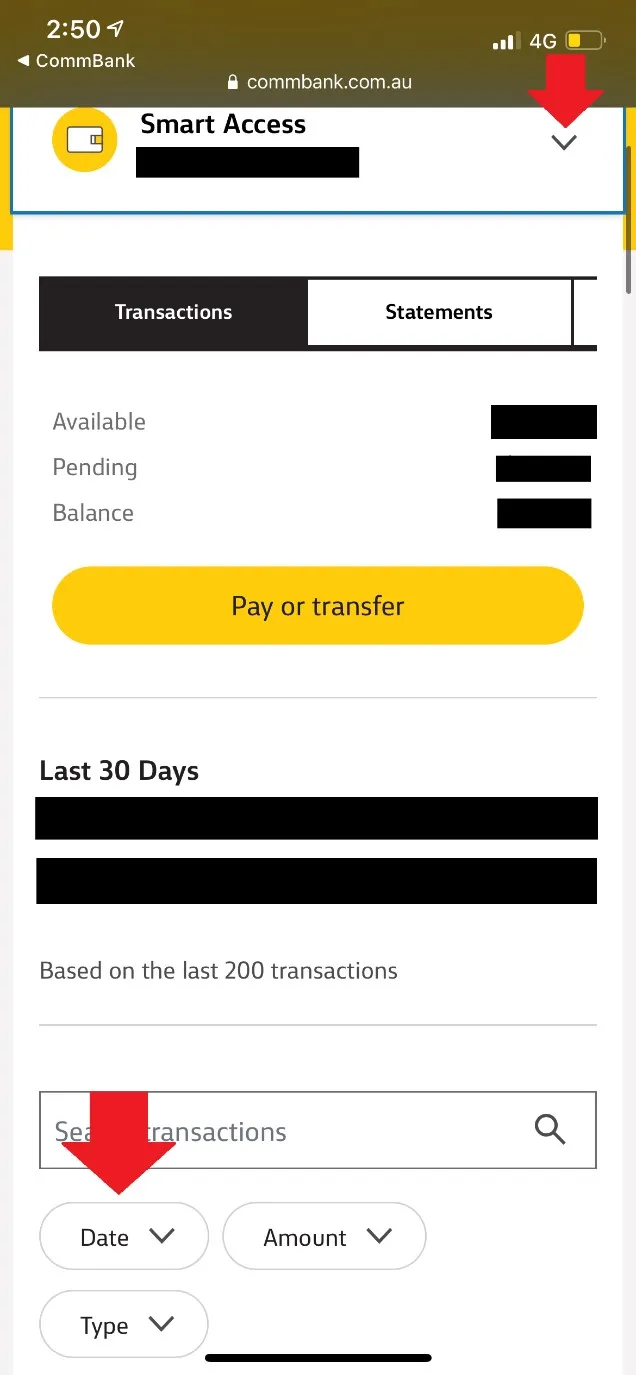
STEP 6. Click on the drop-down list pointed out below and select the account, which income was received. This will generally be your ‘’Smart Access’’ account, however, it depends on the account number you have provided to payer. Subsequently, click on ‘’Date’’.
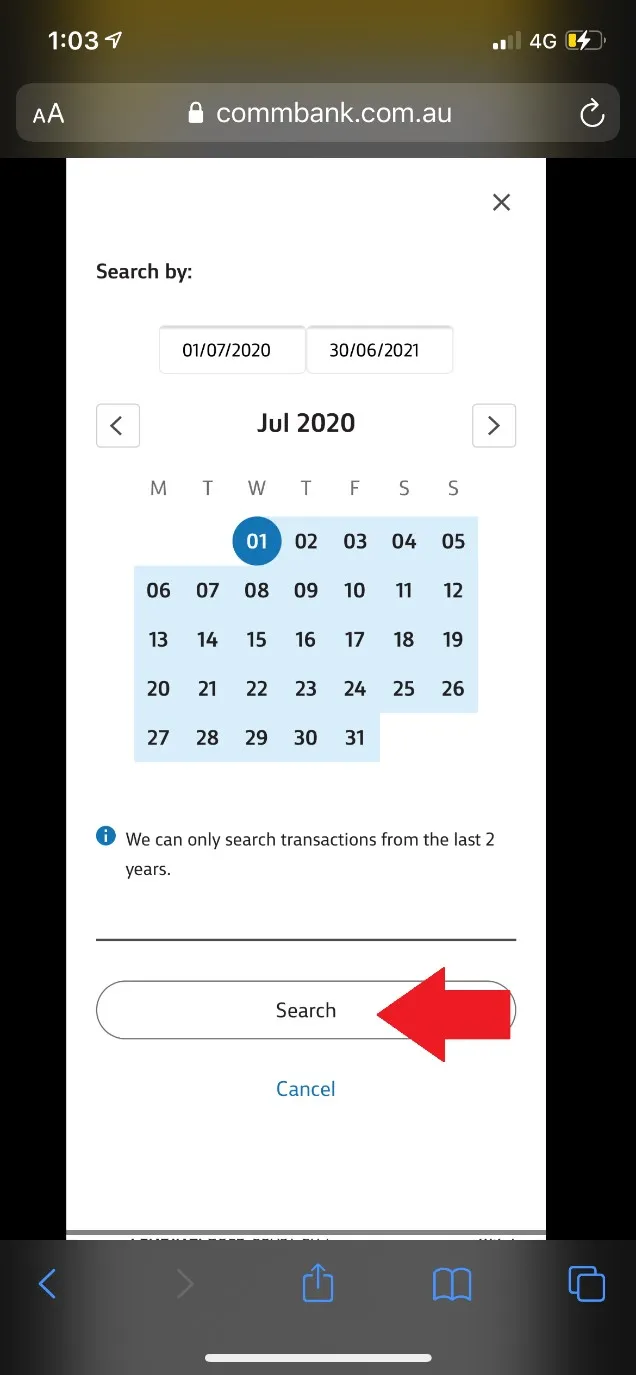
STEP 7. Please select the appropriate dates. E.g. 2021 FY = 01/07/2020 to 30/06/2021. Please note you are only able to retrieve the statement on CSV format up to 2 years ago. Therefore, if you attempt to download on e.g. 30/06/2021, you will be able to extract only from 30/06/2019 – 30/06/2021.
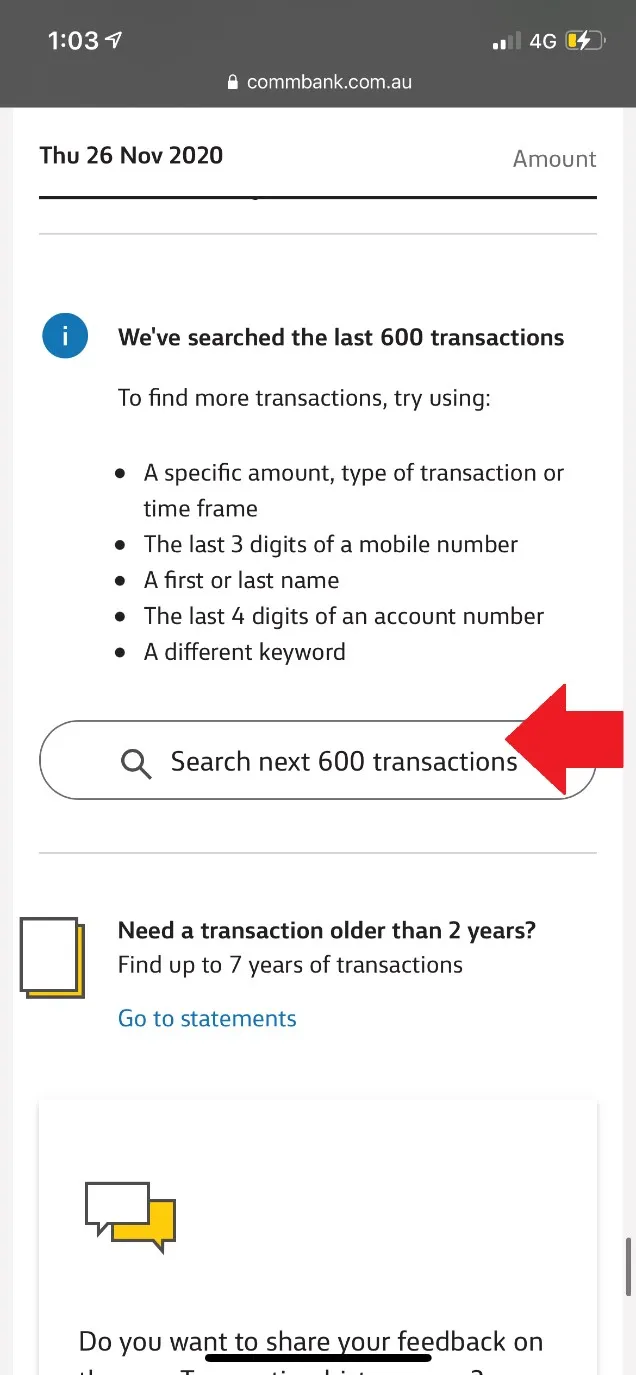
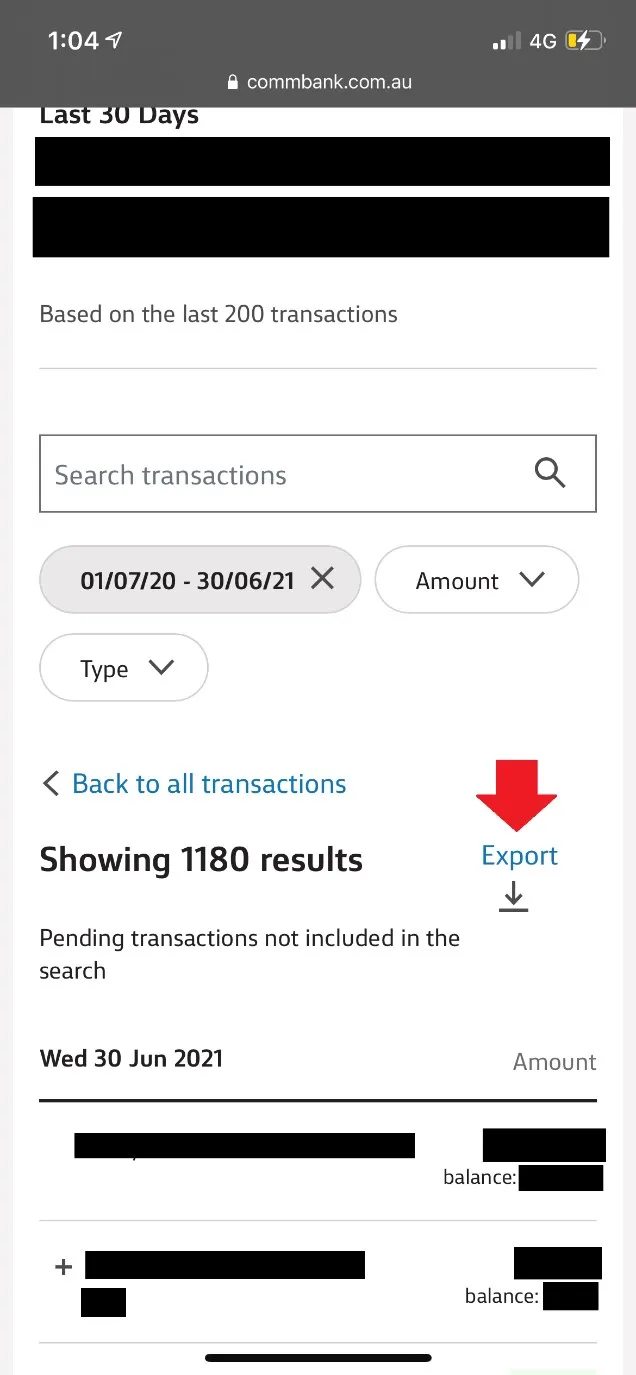
STEP 8. Transactions for the period selected shall be loaded. Please make sure you scroll down the page and certify that all transactions for the period appear. In case they do not, click on ‘’Search next 600 transactions’’ and repeat this until the whole period is included.
STEP 9. Once you have certified all transactions are loaded, scroll up and select ‘’Export’’.
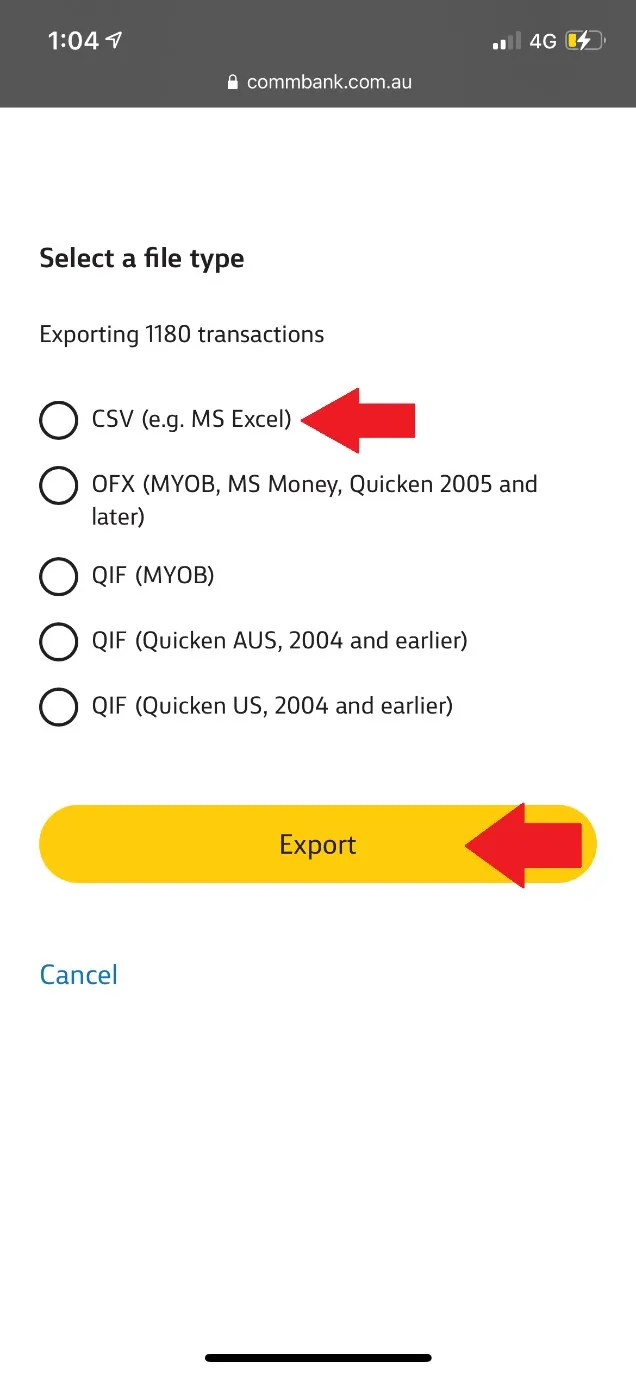
STEP 10. Please select the option ‘’CSV (E.g. MS Excel)’’ and click ‘’Export’’. Now you shall be able to download the document and forward it to [email protected].